All guides
12 min read·Intermediate·6 steps·4 screenshotsScaling and agencies

Autopilot step by step: from a lead list to a campaign that feeds itself

A manual campaign eventually runs dry. Autopilot takes the next portion of your lead list every working day, enriches the companies, verifies them, writes to them and sends. This guide sets it up so you can forget about it for a week.

Outside Central Europe, Autopilot works from your own lead lists: a Google Maps search (49 countries), a CSV import or a list built in the app. For Slovakia and Czechia it can also draw from national business directories by category.

Start in manual mode: the system prepares a daily batch and you approve it. After two weeks of approving without changes, switch to automatic.

1

Prepare the target campaign

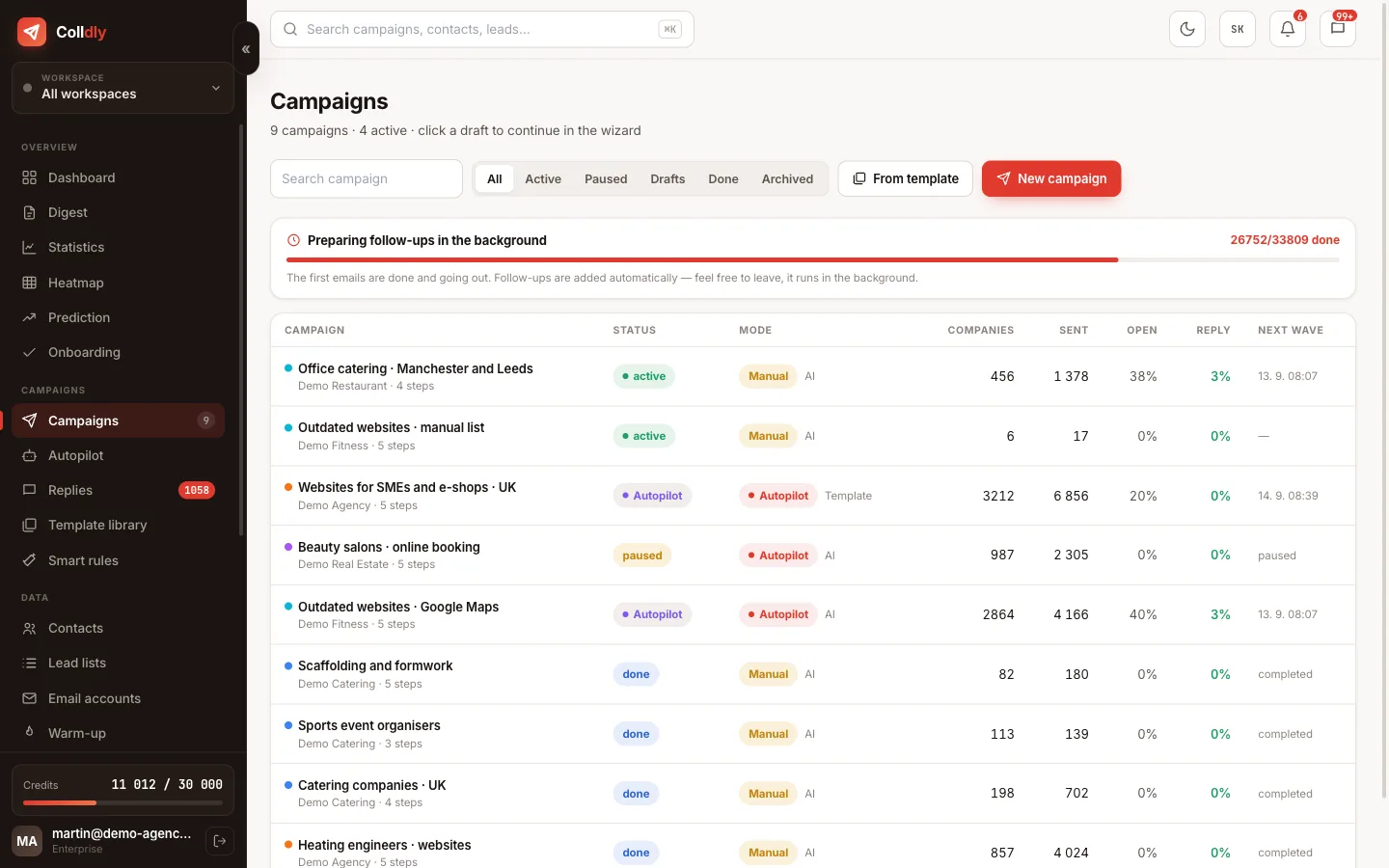
Autopilot adds companies to an existing campaign. Create it with an offer profile, a sequence and a schedule but without companies ("Autopilot, no leads" in the wizard). The campaign must be active.
colldly.com/dashboard › Campaigns
Campaigns in Colldly, one in Autopilot mode
2

Pick the source

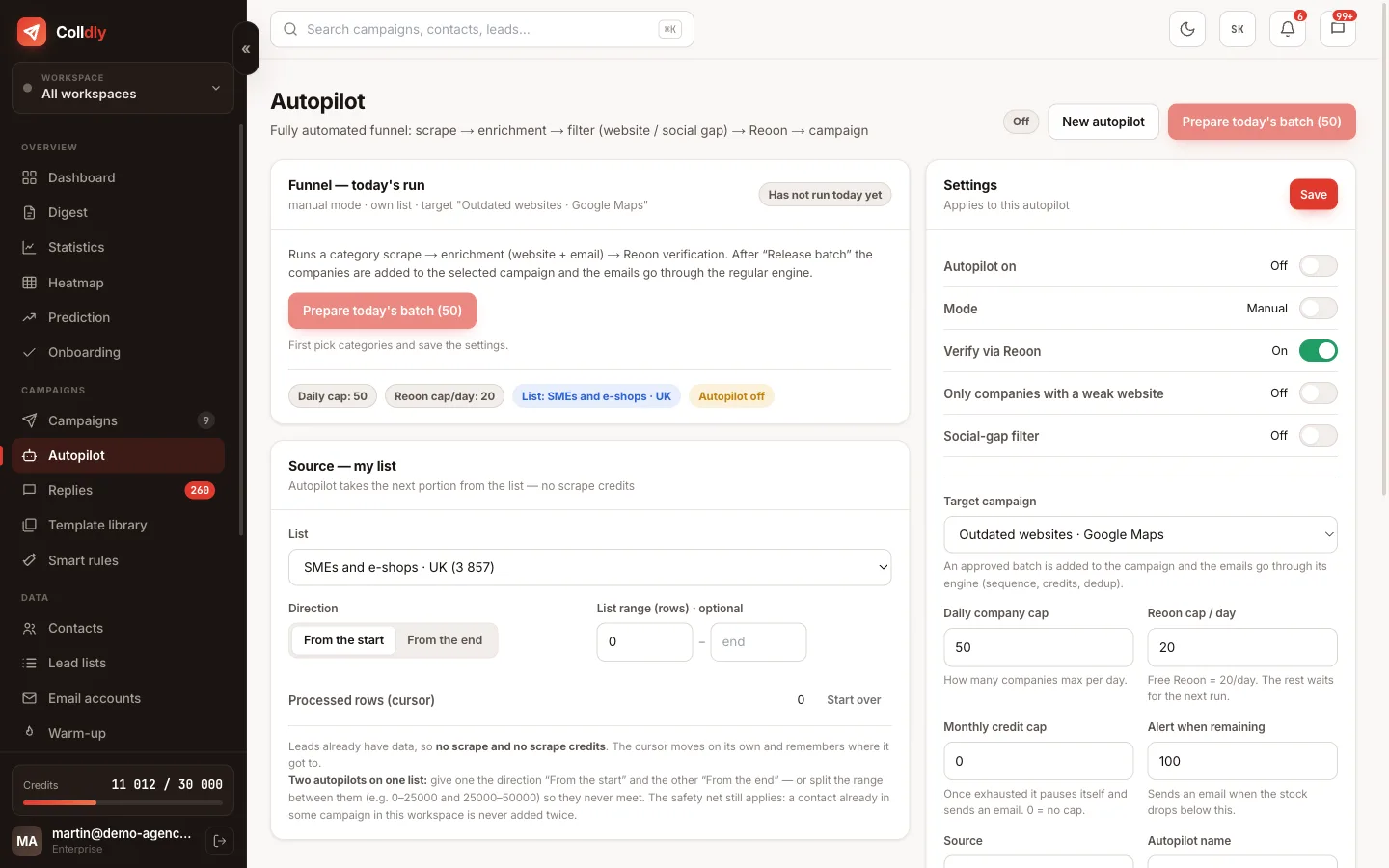
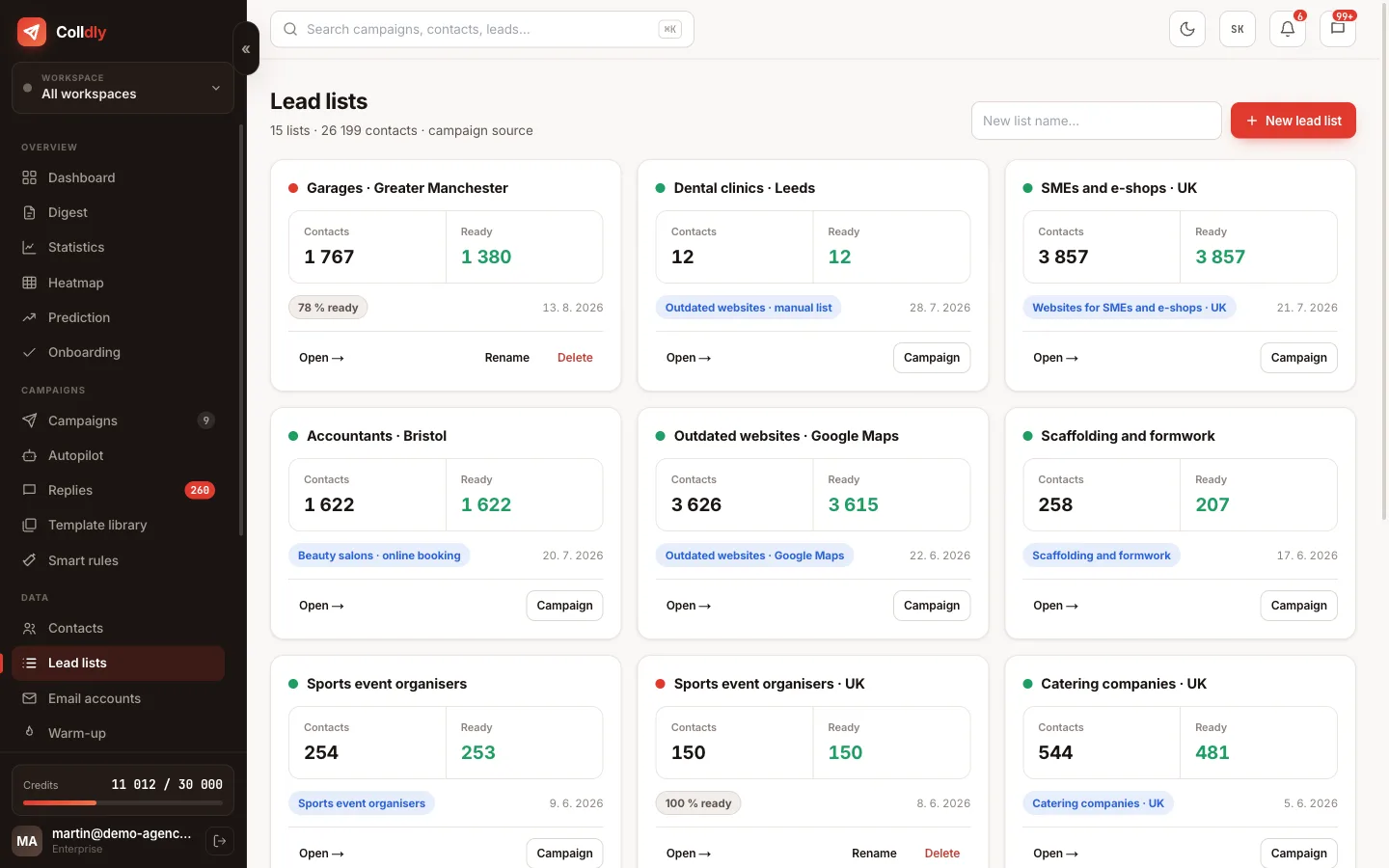
Choose a lead list, the direction (from the start or from the end) and optionally a range of rows. Two autopilots can work one list from both ends and never meet. Build the list first from a Google Maps search: "plumbers Greater Manchester" gives you hundreds of companies with websites.
Tip: Switch on the "only companies with a weak website" or "social gap" filter if you sell websites or social media management. It narrows the stock but lifts replies.
colldly.com/dashboard › Autopilot
Autopilot in Colldly with a lead list as the source and a daily cap
3

Set the daily cap on companies and credits

Start at 25 companies a day. With a 5-step sequence that is about 200 credits a day. The monthly credit cap is insurance: when it runs out, Autopilot pauses and emails you; nothing breaks.

4

Verification and quality filters

Keep email verification on at all times. The website score and social gap filters are optional and depend on what you sell. Every day you see the funnel: how many companies came in, how many had a website, an email, passed verification and were added.
colldly.com/dashboard › Lead lists
Lead lists in Colldly, the source for Autopilot
5

Manual mode: approve batches

In the morning a prepared batch arrives. Look at five random emails, check the funnel and release the batch. The companies are added to the campaign and leave through the normal sending engine with limits and gaps.

6

Automatic mode and alerts

After two weeks without interventions, switch to automatic. The system alerts you when the stock (list) runs low, when credits run low and when bounces rise. Once a week check the forecast for when the list will be exhausted.
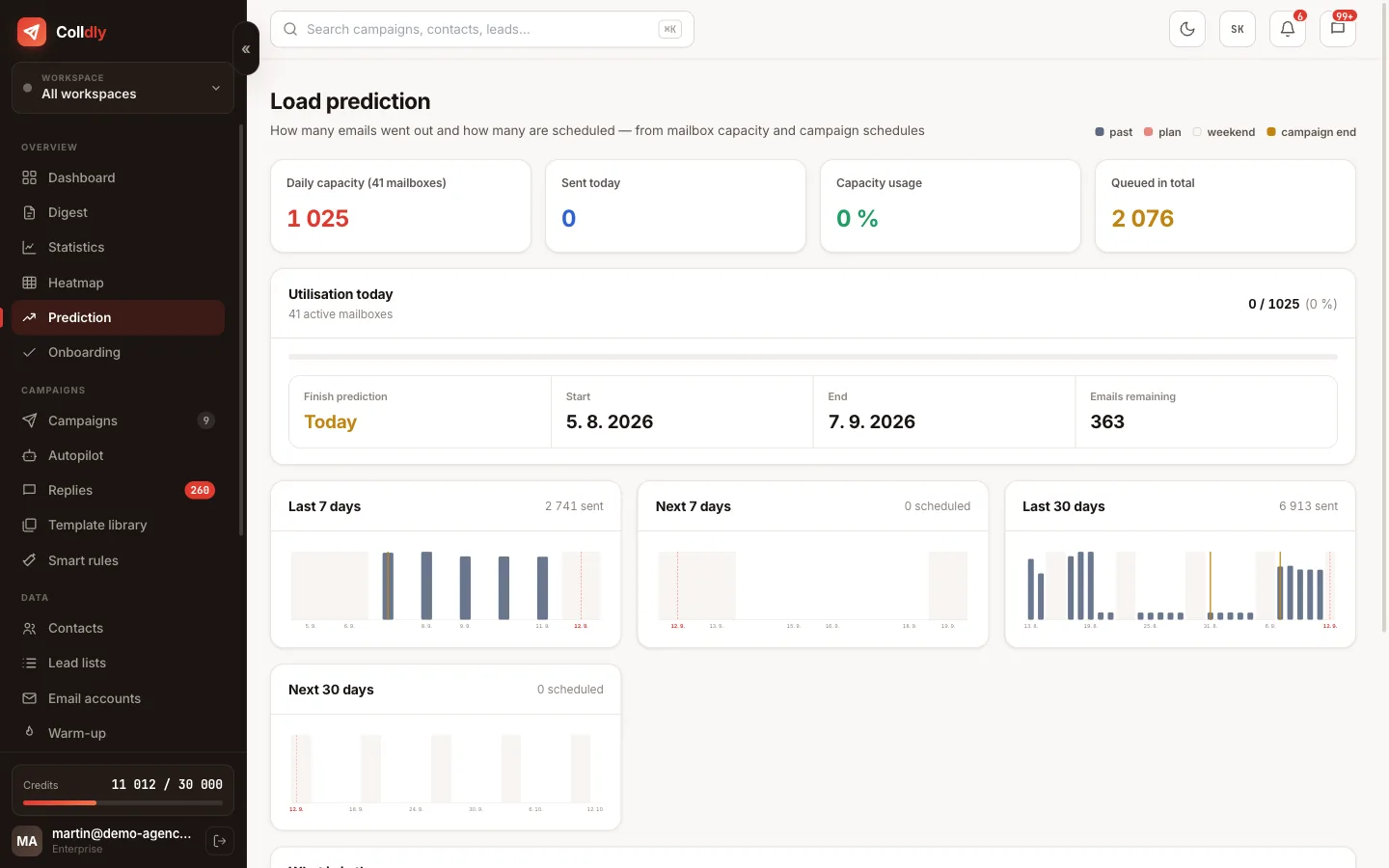
colldly.com/dashboard › Forecast
Load forecast in Colldly: when the lead list runs out
What to avoid
Running Autopilot without a credit cap. One night and the monthly budget is gone.
Mixing companies from different target groups in one campaign. The numbers stop meaning anything.
Not checking the funnel. When 60% of companies have no email, change the source, do not wait.
Checklist
  • The target campaign is active with a profile and a sequence
  • One source: a lead list
  • Daily cap 25 companies, monthly credit cap set
  • Email verification on
  • Manual mode for the first two weeks
  • Stock and credit alerts go to your email
Questions about this guide
Does Autopilot work in the UK and the EU?
Yes, from your lead lists: search companies on Google Maps in any of 49 countries, save them to a list and Autopilot takes daily portions from it. Category-based directory discovery is available for Slovakia and Czechia only.
How many credits does Autopilot use?
A company with a 5-step sequence costs about 8 credits (finding, enrichment, verification, 5 emails). At 25 companies a day that is 200 credits a day, so the Agency plan (15,000) covers about 75 companies a day.
What happens when the list runs out?
Autopilot stops and sends an alert. Add companies to the list or switch the source; the campaign finishes the running sequences in the meantime.
Continue with
Next guide in order: Secondary domains and mailboxes: cold email infrastructure in one afternoon
Start today

Colldly does all of this for you

It finds the companies, writes personalised emails, guards deliverability and puts the replies into one inbox. Start for free, no card.

Start for free
No credit card · First 200 credits free · Cancel anytime