Features

76 things Colldly
does for you

From finding the company to the reply in your inbox. The whole cold email chain in one tool.

76
features included
8
areas of work
1
tool instead of four
19 €
per month from
STEP 1 · DATA

Find companies that have a reason to reply

Colldly does not wait for you to buy a list somewhere. It searches Google Maps in 49 countries and the companies’ own websites, pulls out the contact and verifies it on the spot. One query becomes a ready-to-contact list.
11 features in this area
colldly.com/dashboard
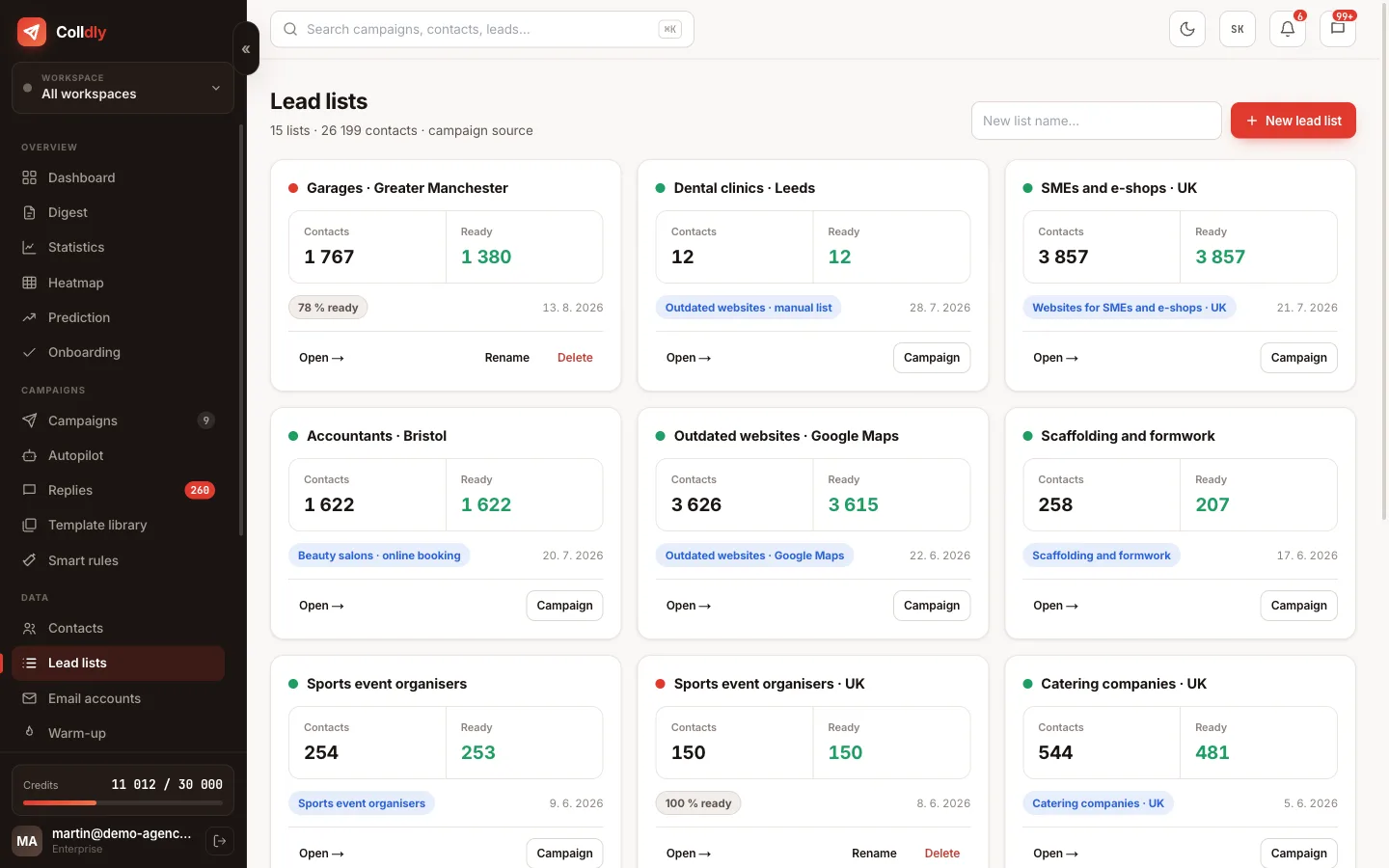
Lead lists in Colldly with verified company contacts
Google Maps search in 49 countries
Enter an industry and a region ("plumbers in Greater Manchester") and the system collects companies from Google Maps with website, phone, address and rating. Works across the UK, Ireland and the EU.
Contact enrichment
It finds the company's website, email, business description and social profiles. The AI then has something to write from.
Email verification
Every address goes through a syntax, domain, MX and SMTP check. Non-existent ones never make it into a campaign.
Full description
Lead lists
Results are saved into named lists. You filter, clean, export or attach them straight to a campaign.
Contacts across brands
A mini-CRM where you see every company, its status and outreach history, shared across all your brands.
CSV import
Got your own list? Upload it, the system maps the columns and verifies the addresses just like the ones it found.
Quick lead entry
Came across a company outside the system? Add it with one form, enrichment included.
Social media audit
Evaluates how a company runs its social media. Ideal when you sell marketing or profile management.
Website quality filter
Finds companies with an outdated or missing website, a precise target if you build websites.
Geographic filtering
Narrow the selection to a town, district or region. A local offer then fits a local company.
Duplicate cleaning
The same company from two sources is merged, so you never contact anyone twice.
STEP 2 · COPY

The AI writes a different email to every company. In your language

No "Dear Managing Director". The AI reads what the company does and writes it a short email to the point, with your offer, your tone, in language that sounds like a human. You just check the preview.
11 features in this area
colldly.com/dashboard
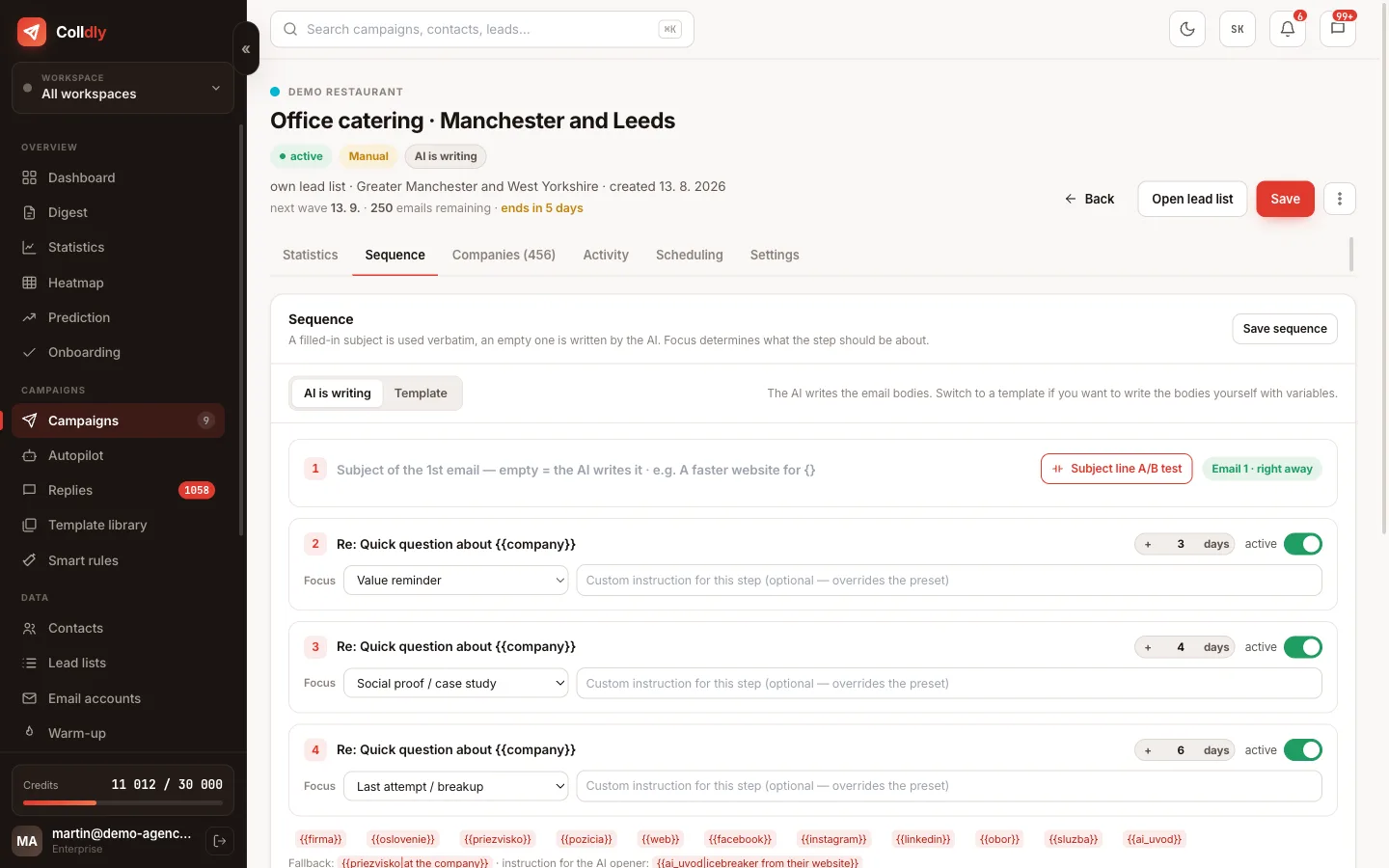
Campaign detail in Colldly with AI-generated emails
Tailored AI writing
A different opening for every company, built on what it actually does. Not a bulk template with the name filled in.
Full description
Offer profile
Describe once what you sell and to whom. The AI then uses it in every campaign without repeated explaining.
Own templates with variables
Want to write it yourself? Write a template with variables and the AI fills in only the personalised part.
Sequence library
Save proven sequences and launch a new campaign from them with one click.
AI campaign angle suggestions
Not sure how to open? The AI suggests angles that work on the given target group.
Custom instruction per email
For a specific contact add an instruction and the AI writes exactly what you want.
Voice dictation
Dictate the campaign brief and the system transcribes it. Faster than typing.
Subject line A/B test
Two subject lines head to head, recipients split in half and the numbers show the winner.
Campaign ideas
Based on your offer it suggests segments and campaigns worth trying.
Rewrite a single email
Don't like a specific email? Have it rewritten without touching the rest of the campaign.
Language and tone
English, Slovak or Czech, formal or informal, length and formality: set once for the whole campaign.
STEP 3 · SENDING

Send at full speed and still land in the inbox

The best email is useless if it ends up in spam. Colldly guards domain reputation, warms mailboxes up, rotates them and sends at a human rhythm during the recipient's working hours.
12 features in this area
colldly.com/dashboard
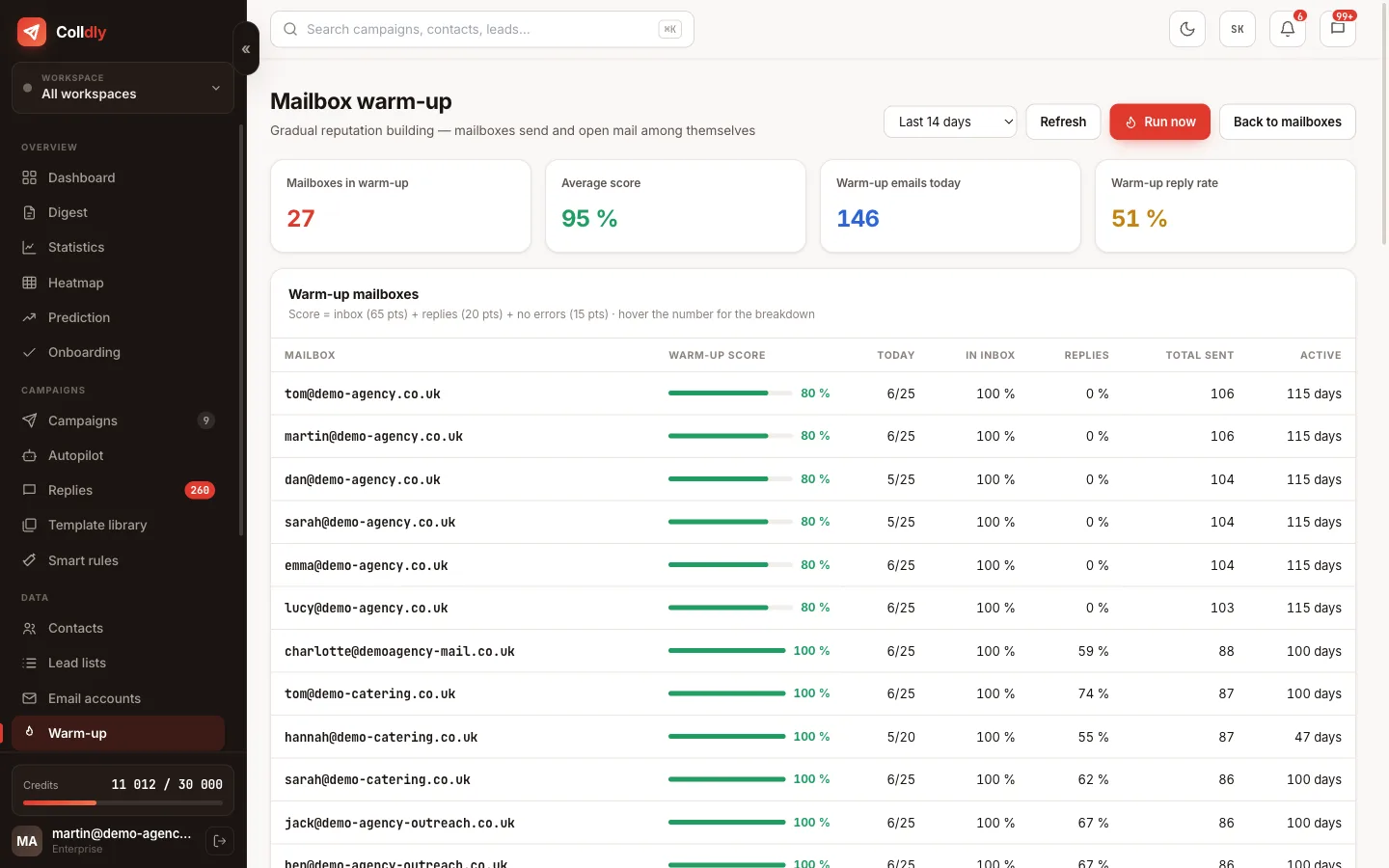
Mailbox warm-up in Colldly with a reputation overview
Automatic warm-up
Mailboxes write to each other, reply and build reputation. Volume grows gradually up to full output.
Full description
Mailbox rotation
A campaign alternates several mailboxes, each sending a safe volume. Higher output without risk to a single address.
Daily limits and slow ramp-up
Set a cap per mailbox and the system keeps it. A new mailbox ramps up gradually, not in one jump.
Human-like gaps
Emails go out at irregular intervals, not in a batch at midnight. Exactly like a human.
Sending schedule
Pick the days, time window and time zone. The email arrives during the recipient's working hours.
SPF, DKIM and DMARC check
Checks the domain setup and tells you exactly what to add at your provider.
Full description
Bounce detection
A bounce is recognised, the address removed and the campaign continues without damage to reputation.
Blocklist and suppression
Unsubscribed, clients and competitors on one list. The system skips them forever.
Unsubscribe link
Every email has an unsubscribe link with your own text and page. The opt-out is processed automatically.
Custom tracking domain
Links and tracking go through your domain, not someone else's. Better for reputation and trust.
Bulk mailbox connection
Dozens of mailboxes at once via CSV. No clicking one by one.
SMTP and IMAP test
Before launch it verifies the mailbox really sends and receives. No surprises mid-campaign.
STEP 4 · REPLIES

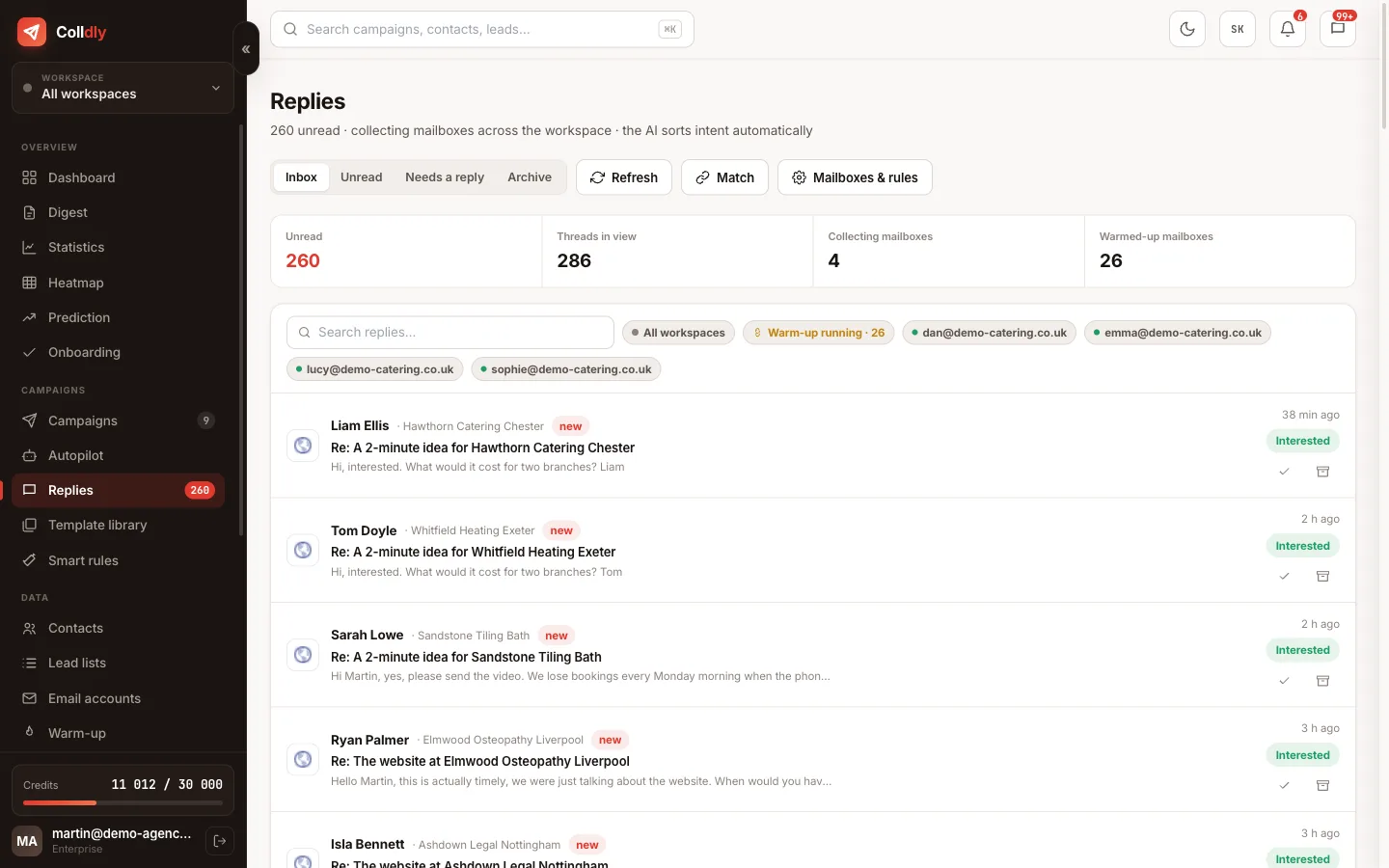
All replies in one place, sorted

Five mailboxes and three campaigns mean replies scattered across webmails. Unibox collects them into one view, pairs them with the campaign and flags who is genuinely interested.
10 features in this area
colldly.com/dashboard
Unibox in Colldly with a list of replies and AI sorting
One inbox for everything
Replies from all mailboxes and campaigns as threads with the full conversation history.
Full description
AI recognises intent
Interest, a question, "get back to me later" or a refusal. You see at a glance where the business is.
Reply straight from the app
You reply from the same mailbox and in the same thread. The recipient cannot tell the difference.
Collector mailboxes
Replies from several sending addresses flow into one mailbox that you watch.
Filtering rules
Auto-replies, notifications and spam are filtered out so only what matters stays in the list.
Reply forwarding
Send an interesting thread to a colleague or client without forwarding through webmail.
Bulk actions
Select several threads at once and process them with one click. The morning inbox routine in a minute.
Archive
Handled threads disappear from the list but stay searchable with their history.
Paired with the campaign
With every reply you see which email and which sequence step it responds to.
Automatic unsubscribes
An opt-out request is processed on its own and the address goes to the blocklist.
STEP 5 · NUMBERS

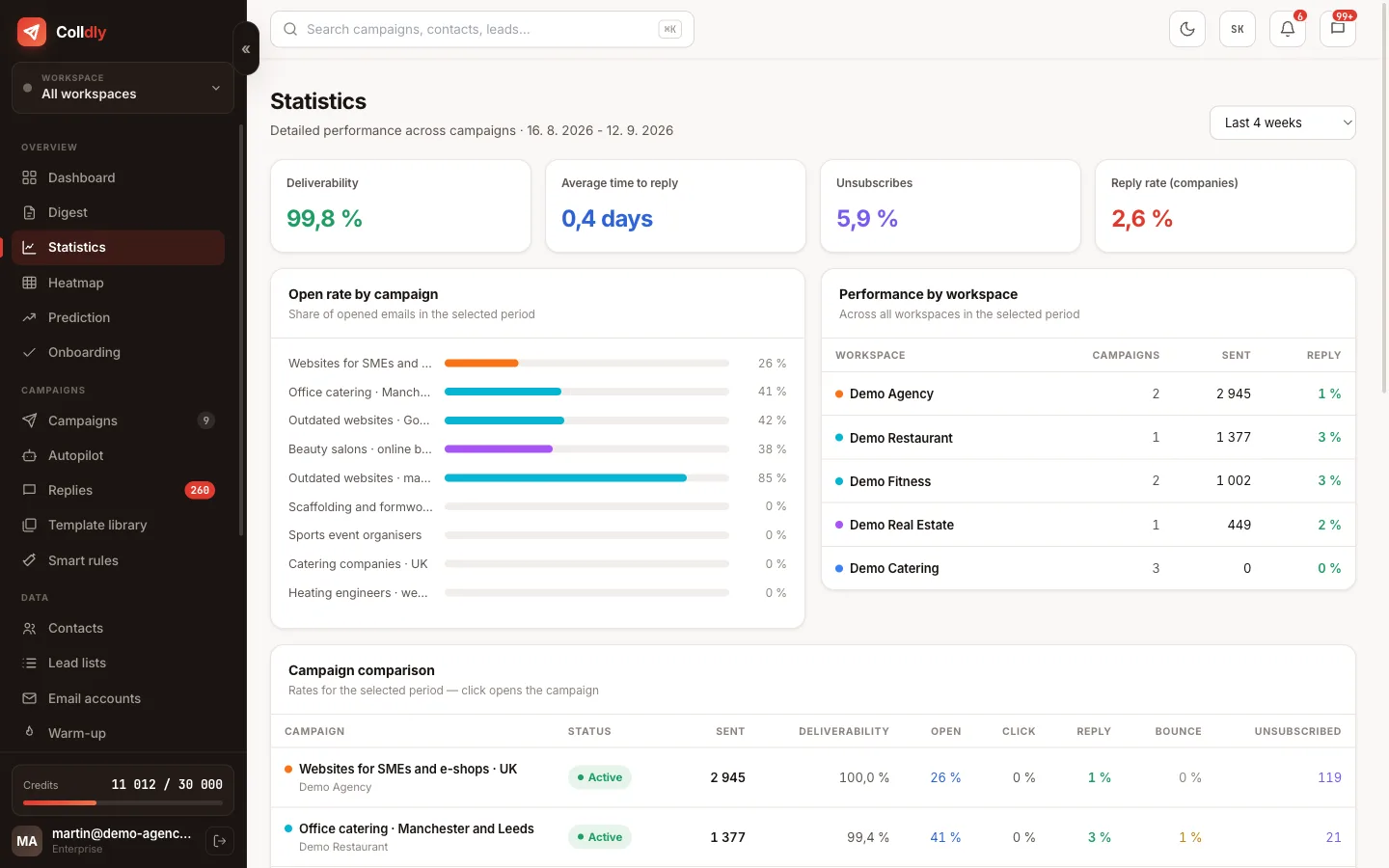
Know exactly what works and who to call

Every open, click and reply is counted. You see which campaign performs, which subject line won and which company is reading your email for the third time. That one is ready for a call.
10 features in this area
colldly.com/dashboard
Campaign statistics in Colldly
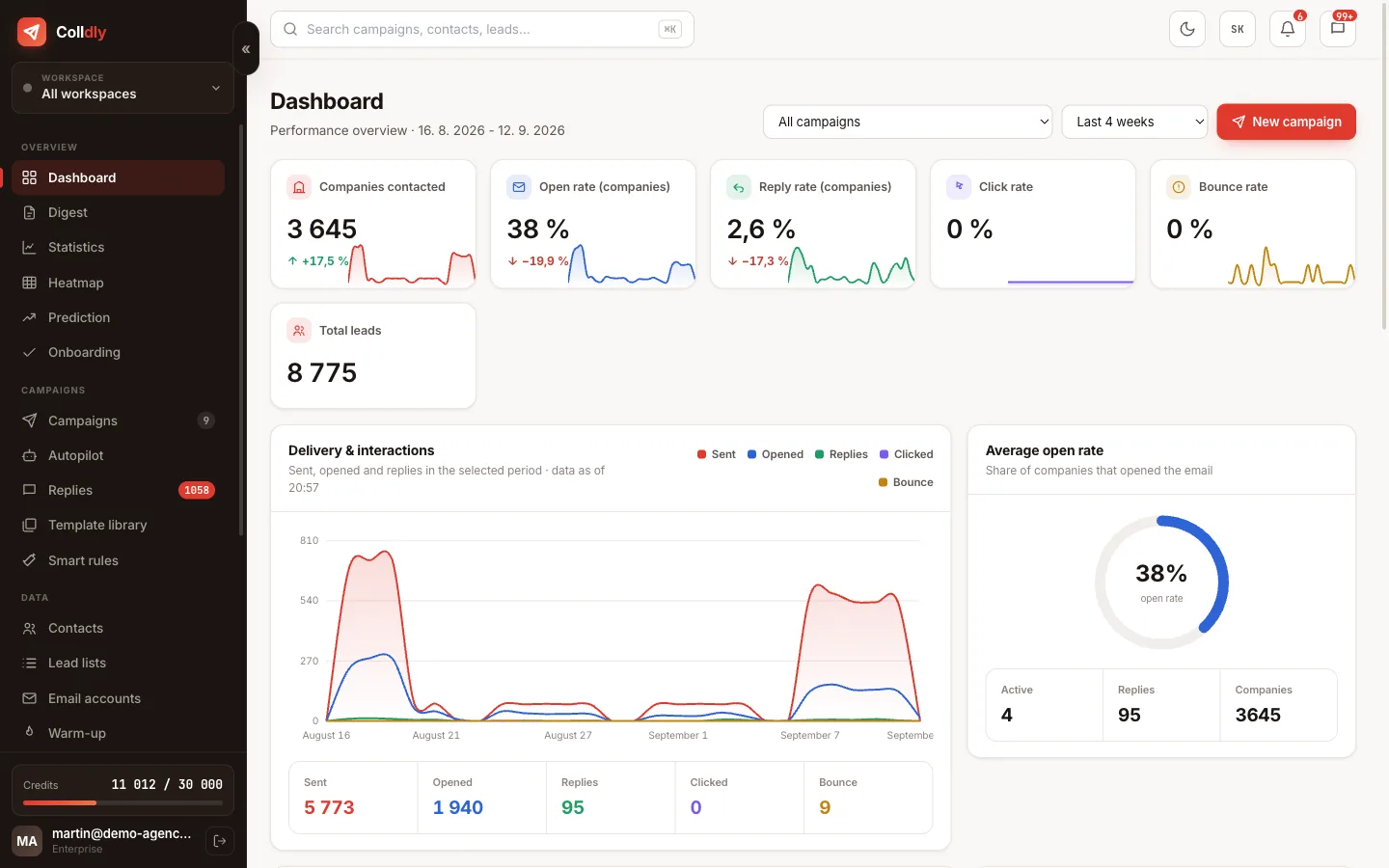
Overview dashboard
Companies contacted, open rate, replies and the trend over time. The state of your business on one screen.
Full description
Campaign statistics
Performance by campaign and by individual sequence step. You know which follow-up delivers.
Activity heatmap
The days and hours when your recipients open most. Set your sending window accordingly.
Load forecast
An estimate of how many emails go out in the coming days and when the campaign ends. You plan ahead.
Weekly digest
A summary of sending, replies, deliverability and credits, without opening the app.
Open and click tracking
See who opened, when and how many times, and which link they clicked.
Campaign comparison
Two campaigns side by side. It is obvious at once which approach works better.
Performance by brand
With several brands you see the numbers for each separately and combined.
In-app notifications
New replies, a failed mailbox or a finished campaign: the bell tells you what is going on.
Campaign funnel
Where companies dropped out: no website, no email, failed verification or ended up on the blocklist.
STEP 6 · AUTOMATION

Let it run even when you ignore the app for a week

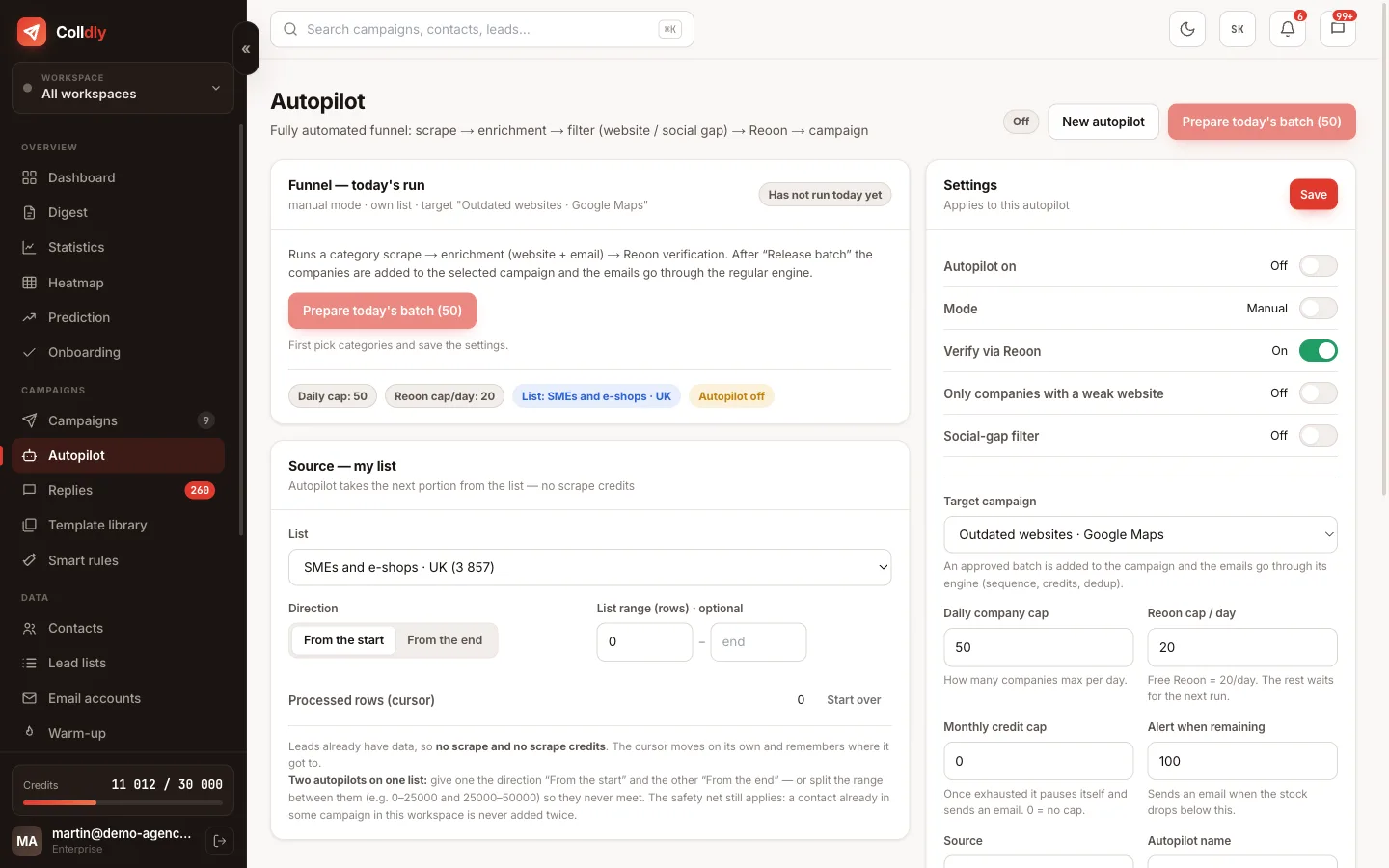
Follow-ups, list processing and cost guarding run in the background. Autopilot takes a portion of your lead list every day and handles the whole chain from enrichment to sending, so you only deal with the replies.
8 features in this area
colldly.com/dashboard
Autopilot in Colldly with a lead list as the source, a daily cap and a credit ceiling
Autopilot from your lead lists
Point it at a lead list (a Maps search or a CSV import) and set a daily cap. Every day it takes the next portion, enriches, verifies, writes and sends. You only handle the replies.
Full description
Automatic follow-ups
Follow-up emails in the thread according to your plan. A reply stops the sequence immediately.
Full description
Smart rules
The next step adapts to the contact's behaviour: whoever opens gets different copy than whoever stays silent.
Background generation
Copy is written the day before sending. It saves credits and reacts to the current state of the thread.
Credit guard
When credits run low you hear about it before the campaign stops.
Deliverability alerts
Rising bounces or a failing SMTP are reported by the system on its own.
Onboarding checklist
The first launch walks you through step by step so you forget nothing.
Daily cost cap
Set how much may be spent per day. No surprises on the invoice.
FOR AGENCIES

Several brands, a team and clients without chaos

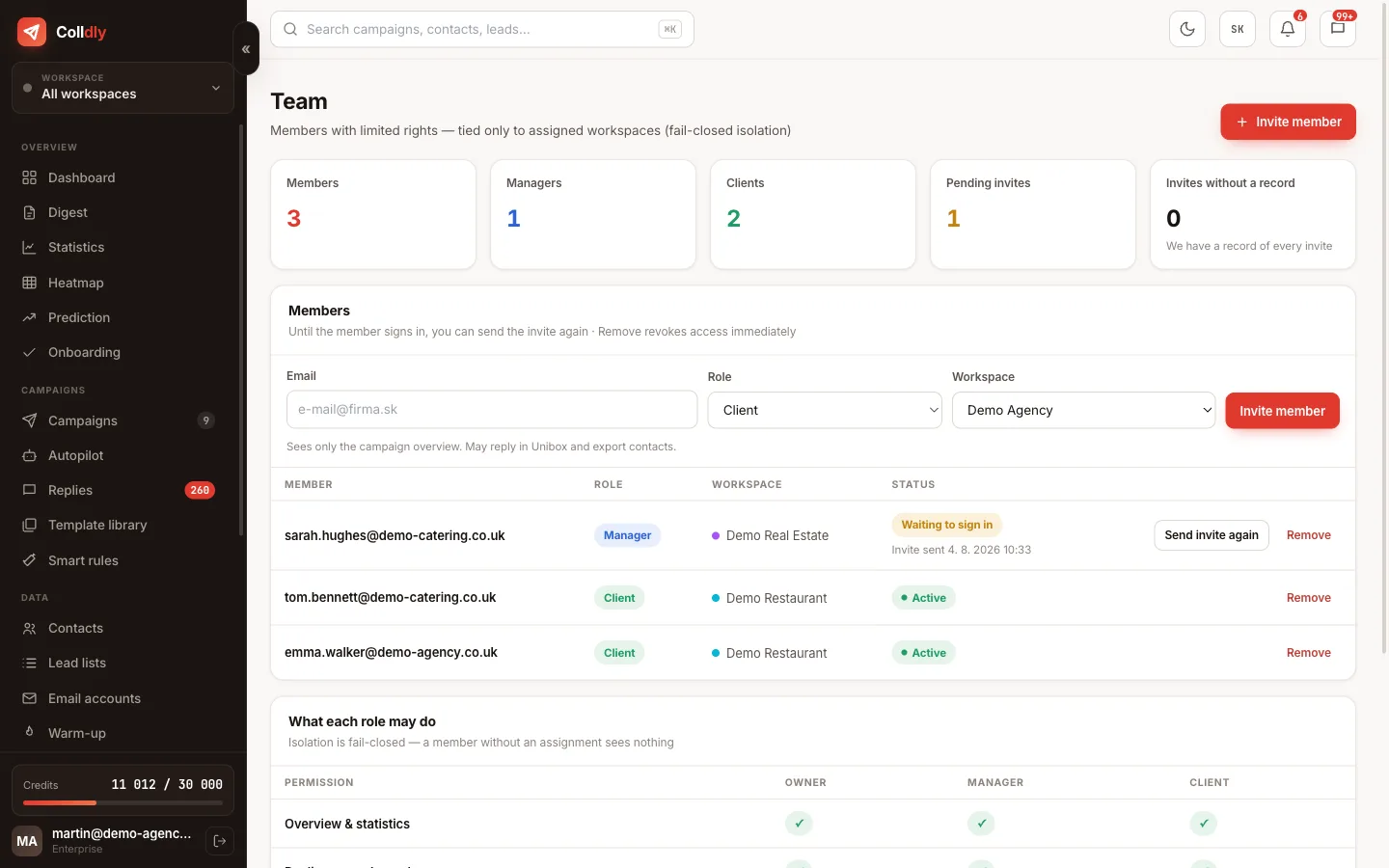
Every client gets their own space with their own mailboxes, campaigns and replies. Colleagues see only what is theirs and the client checks the results themselves.
6 features in this area
colldly.com/dashboard
Team and role management in Colldly
A space for every brand
Separate campaigns, mailboxes, lists and blocklists. Switch with one click, nothing mixes.
Full description
Team roles
A manager runs the assigned brands and replies. A client sees their campaigns and replies read-only.
Client access
The client checks the results themselves, any time. Monthly reports in spreadsheets become pointless.
Team invitations
Invite by email, assign a role and brands. The colleague creates an account and works immediately.
No per-user fees
We do not charge per head. You pay for the plan and invite members as needed.
Invite a colleague for credits
Send an invite link and after they sign up you both get 200 extra credits.
INTEGRATIONS AND OPERATIONS

Connect it to your own tools

Colldly does not have to be an island. Through the API and webhooks you connect it to your own system, CRM or website, and you can take your data with you any time.
8 features in this area
colldly.com/dashboard
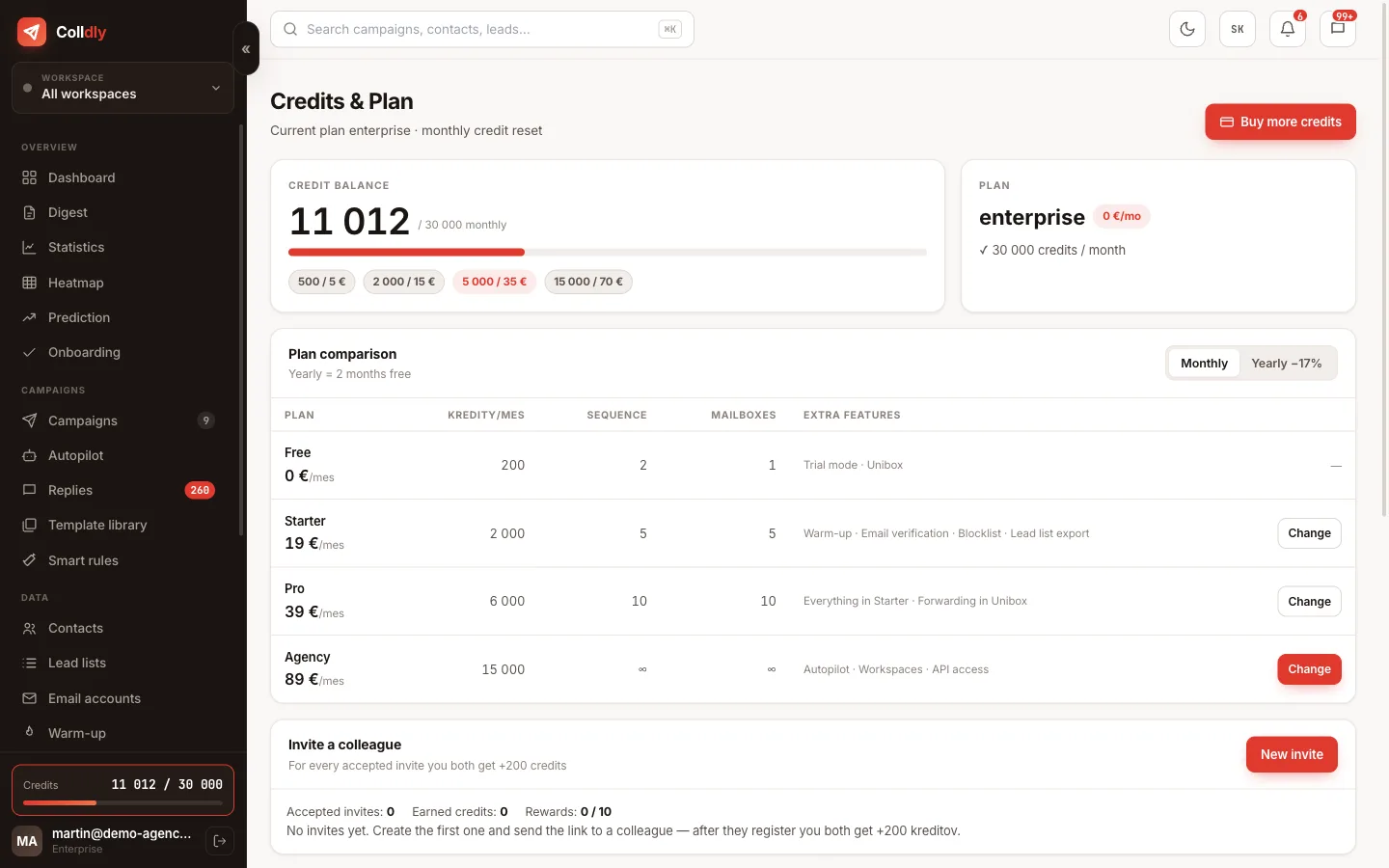
Credits, plan and billing in Colldly
API keys
Your own key for your application. Manage contacts and campaigns programmatically.
Webhooks
A new reply or an unsubscribe pings your system immediately.
Public API
Create contacts, campaigns and suppressions and read costs through a documented path.
Credits that never expire
You pay for what you use. Purchased credits never expire and you can top up any time.
Invoice in euros
An EU company, an invoice in euros, card payment via Stripe. No conversions from dollars, no surprise bank fees.
Data export
Download your contacts and results. They are yours; we do not hold them hostage.
Bug reporting
When something fails, report it with one click straight from the app and we know at once.
Support from the builders
You write to the person who built the app. No ticket queues, no chatbot.
Start today

Launch your first campaign this week.

200 trial credits, no card and no commitment. Your first campaign is live in 10 minutes and the first replies usually arrive within 48 hours.

Start for free
No credit card · First 200 credits free · Cancel anytime